How Funsquare turned their homepage into a live social feed
An Australian DTC brand replaced a static product grid with FeedGrid's shoppable Instagram + TikTok widget, and made their homepage feel "alive" for the first time.
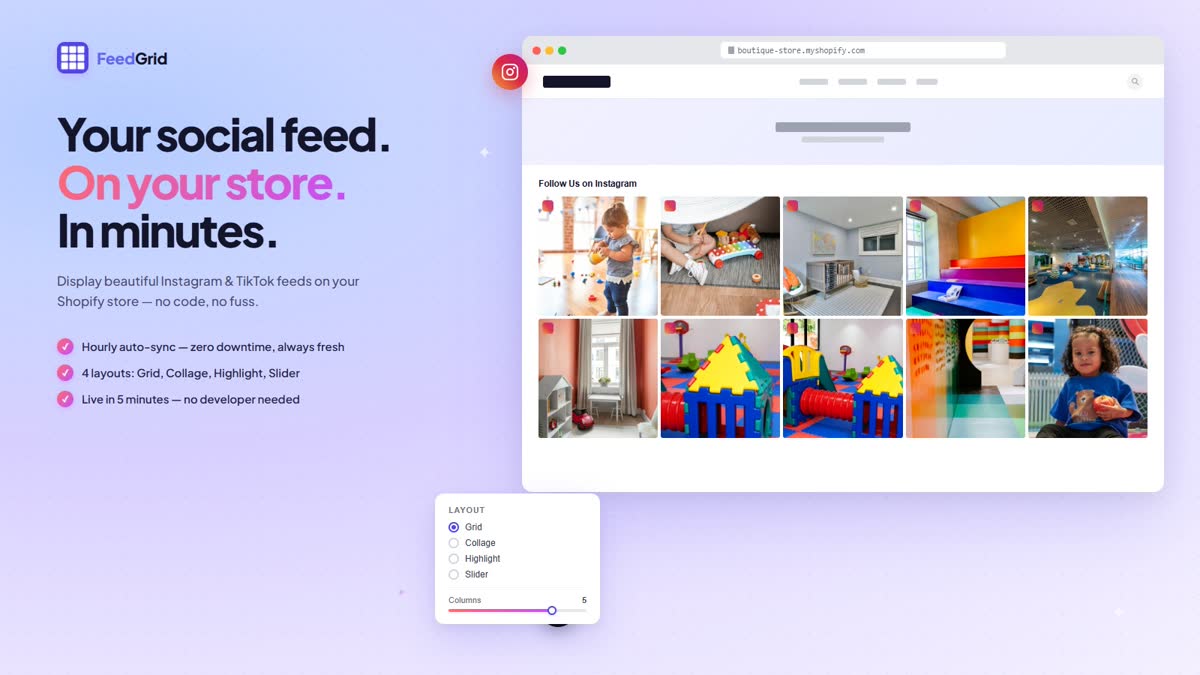
FeedGrid in action, the Collage layout pulling Instagram + TikTok posts straight onto the homepage.
The problem
Funsquare, an Australian direct-to-consumer brand selling kids' indoor play furniture, had a homepage that performed fine but felt static. The same hero, the same product tiles, the same blocks every time someone landed on the site. Meanwhile their Instagram and TikTok were the opposite: a constant stream of new product photos, customer-shot videos of kids using the furniture, and behind-the-scenes content from the warehouse. None of it lived on the storefront. Customers who arrived from a Funsquare ad or organic search saw a frozen homepage; customers who followed Funsquare on social saw a living brand. There was a gap between the two, and the storefront was the part losing.
What we tried first
The first attempt was a custom build. We wrote a Cloudflare Worker that pulled Funsquare's Instagram media via the Graph API and exposed a JSON endpoint. A bespoke Shopify Liquid section in the theme rendered the posts into a homepage grid. It worked, for a while. But it was fragile in all the ways custom integrations are fragile: when Instagram tokens silently expired, the section went blank until someone noticed and re-authenticated. There was no TikTok support. There was no concept of a shoppable tag, clicks just opened Instagram, not a product page. And there was no admin UI, so every change meant a code deploy. It was the kind of internal tool that does the job at first and quietly turns into a maintenance burden.
Why we built FeedGrid
The off-the-shelf alternatives weren't right either. The existing Shopify Instagram apps either charged Shopify Plus prices for a feed grid, buried TikTok behind a higher pricing tier, or didn't let us customise the layout enough to match the rest of the storefront. So we productised the internal tool, added TikTok support, proper token refresh, four layout options, shoppable product tagging, and a clean admin UI. FeedGrid is what Funsquare runs on its real homepage today, and it's what we shipped to the Shopify App Store so other Shopify merchants can run the same thing.
"FeedGrid is the only Shopify app on our store that I literally never have to think about. It just works. Posts refresh automatically. Tokens refresh automatically. I haven't touched it since the day I installed it."
Yolanda, Funsquare founder
The setup
- Installed FeedGrid from the Shopify App Store.
- Connected Funsquare's Instagram Business account through the in-app OAuth flow.
- Picked the Collage layout, it felt the most "Funsquare," with the mixed tile sizes mirroring the playful product mix.
- Added the FeedGrid widget to the homepage in the Shopify theme editor (drag and drop, no code).
- Tagged eight popular products onto recent Instagram posts so the feed became shoppable.
Total time: under 10 minutes, no developer involved.
What changed
- The homepage feels current. Every Instagram post Funsquare publishes shows up on the storefront automatically, the homepage now refreshes itself in step with the brand's social calendar.
- Customers tap straight from social posts to product pages. The shoppable tags turn each Instagram tile into a path to a real product, not a dead-end click out to Instagram.
- Zero maintenance time per week. No more re-authenticating tokens, no more "the feed broke again" Slack messages. The thing that used to be a recurring chore stopped being a chore.
Try it on your store
Install FeedGrid from the Shopify App Store and have a live Instagram + TikTok feed running on your homepage in under 10 minutes.
Install FeedGrid