 FeedGrid
Your social posts.
Part of your store.
Bring Instagram and TikTok onto your Shopify store. Choose a layout that feels like you, and link the products in every post.
Start your 14-day trial$4.99 USD every 30 days after your trial. All features included.
See how to set it upLoading the interactive feed…
Try a layout below. Tap a post to explore it. Demonstration photos, not a customer store.
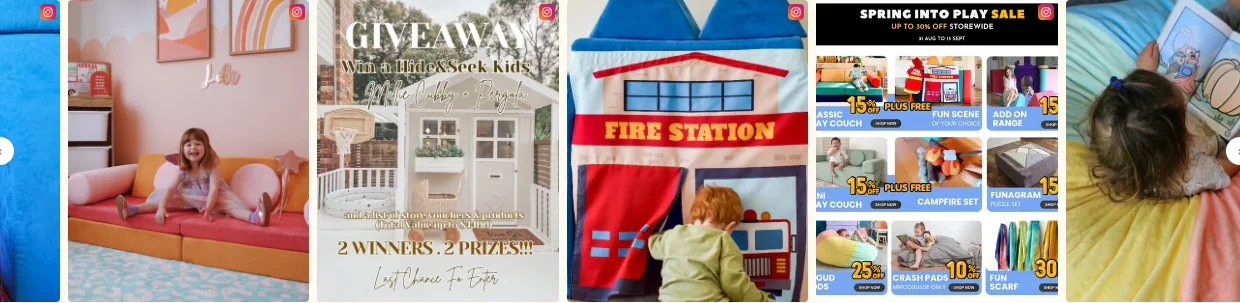
Mixed tile sizes add variety to a collection of posts.
Made for Shopify stores. Your own Instagram and TikTok content, refreshed automatically.
Built for our own store, Funsquare
Give the product a way out of the photo.
You have already made the content. Add product tags so shoppers can go from the post that caught their eye to the item in your store.
- Link products and specific variants
- Add up to five product hotspots to a post
- Choose which posts appear on your storefront
From your account
to your storefront.
Connect once, choose your look, then save the FeedGrid block in your Shopify theme.
-
Connect your account
Install FeedGrid, approve your trial, and connect Instagram or TikTok. For Instagram, use a Business or Creator account.
-
Find your layout
Choose one of seven layouts. Adjust the image shape and spacing, choose Latest or Selected posts, and tag the products you want shoppers to find.
-
Add it to your theme
Open the Shopify theme editor from FeedGrid. Place the block and click Save. Check the result on desktop and phone. Changes to an unpublished theme stay in its preview until you publish that theme.
Using an Online Store 2.0 theme? You can add the app block without editing theme code. Read the setup guide or ask us for help.
Watch FeedGrid in action
One plan.
The whole app.
FeedGrid Complete
Try every feature for 14 days.
Billing starts after your Shopify-approved trial.
- Instagram and TikTok together One connected account for each platform
- Seven layouts. Up to 50 posts. Grid, Collage, Highlight, Slider, Masonry, Cards and Reels
- Shoppable product tags Tags across your posts, up to five hotspots per post, with variant links
- A feed that fits your store Image shapes, spacing, post hiding and no FeedGrid badge
- Automatic updates and post analytics Hourly feed refresh and 30 days of post impressions and clicks
Billed through Shopify. Cancel through the app.
Already on a legacy free plan? Your existing access is protected.
We use it
on our own store.
FeedGrid began at Funsquare, our Australian play furniture business. We wanted our social content to belong on the storefront too.
That is still the test: useful on a real Shopify store, straightforward to look after, and easy to make your own.
See how we use FeedGridA few things worth knowing.
What do I need before I start?
A Shopify store with an Online Store 2.0 theme, and an Instagram Business or Creator account, a TikTok account, or both. FeedGrid shows posts from the accounts you connect.
When will I be charged?
Your 14-day trial begins when you approve FeedGrid Complete through Shopify. After the trial, the plan costs $4.99 USD every 30 days. Shopify shows the billing terms before you approve.
Do I need to change my theme code?
No code is needed to add FeedGrid to a compatible Online Store 2.0 theme. Use Shopify's theme editor to place the app block and save. If your theme does not support app blocks, contact us before installing.
Can I choose which posts appear?
Yes. Use Latest posts for an automatically updated feed, or Selected posts to choose specific posts, including older content. Hide unwanted posts and add product tags. FeedGrid displays your connected accounts; it does not collect other people's hashtagged posts or manage content rights.
What happens to my existing free plan?
Existing merchants keep their Free access unchanged and can choose Complete for more features. New installations have a 14-day trial, then $4.99 USD every 30 days, with no ongoing Free plan. Review the options for your account in FeedGrid.
What if my feed stops updating?
Open FeedGrid to check your account connection. If Instagram or TikTok needs you to reconnect, follow the steps there. Our support form is here if you need help.